
Search
How do I remove EXOSTIV IP from my netlist to restart insertion?
(The following article applies to EXOSTIV for Xilinx).
When an EXOSTIV IP core is already inserted into a target design using the netlist flow, the following steps show how to reset the design loaded into Vivado to re-start EXOSTIV IP insertion.
Important: if asked, do not save the design after the insertion of EXOSTIV IP.
1) Supposing that the implementation was started fro EXOSTIV Dashboard:
In Vivado, you have completed EXOSTIV IP insertion – and probably place and route. Typically, it can be seen that an EXOSTIV IP is inserted in the design hierarchy.
To reinitialize the Vivado project so that it does not contain any EXOSTIV IP, here are the steps to follow:
1) Click on ‘Synthesized design’ on the ‘flow navigator’.
2) Select the ‘Tcl Console’ tab in the main Vivado window.
3) Type command ‘refresh_design’ in it.
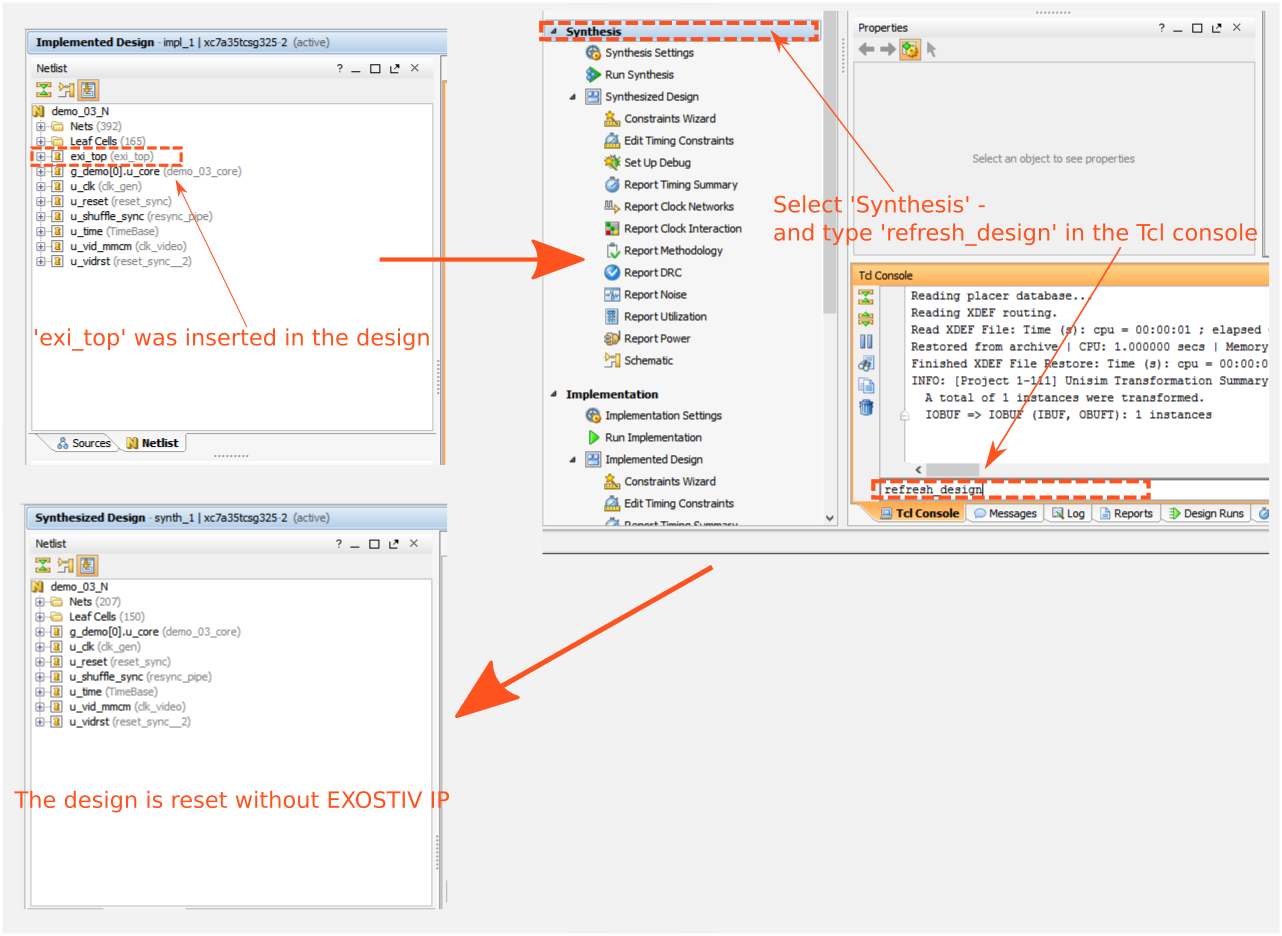
The loaded design will be reverted to the step before EXOSTIV IP insertion – that is: your original design after synthesis. It is now ready for a new (modified?) EXOSTIV IP insertion.
2) If you have started the implementation yourself from Vivado:
The above applies to, with the following condition: you must not save the synthesized design after the insertion of Exostiv IP!. If you do, using the ‘refresh_design’ command will revert back to the last saved step after synthesis – and the synthesized design will still contain Exostiv IP.