
Exostiv Probe and Exostiv Blade Clients
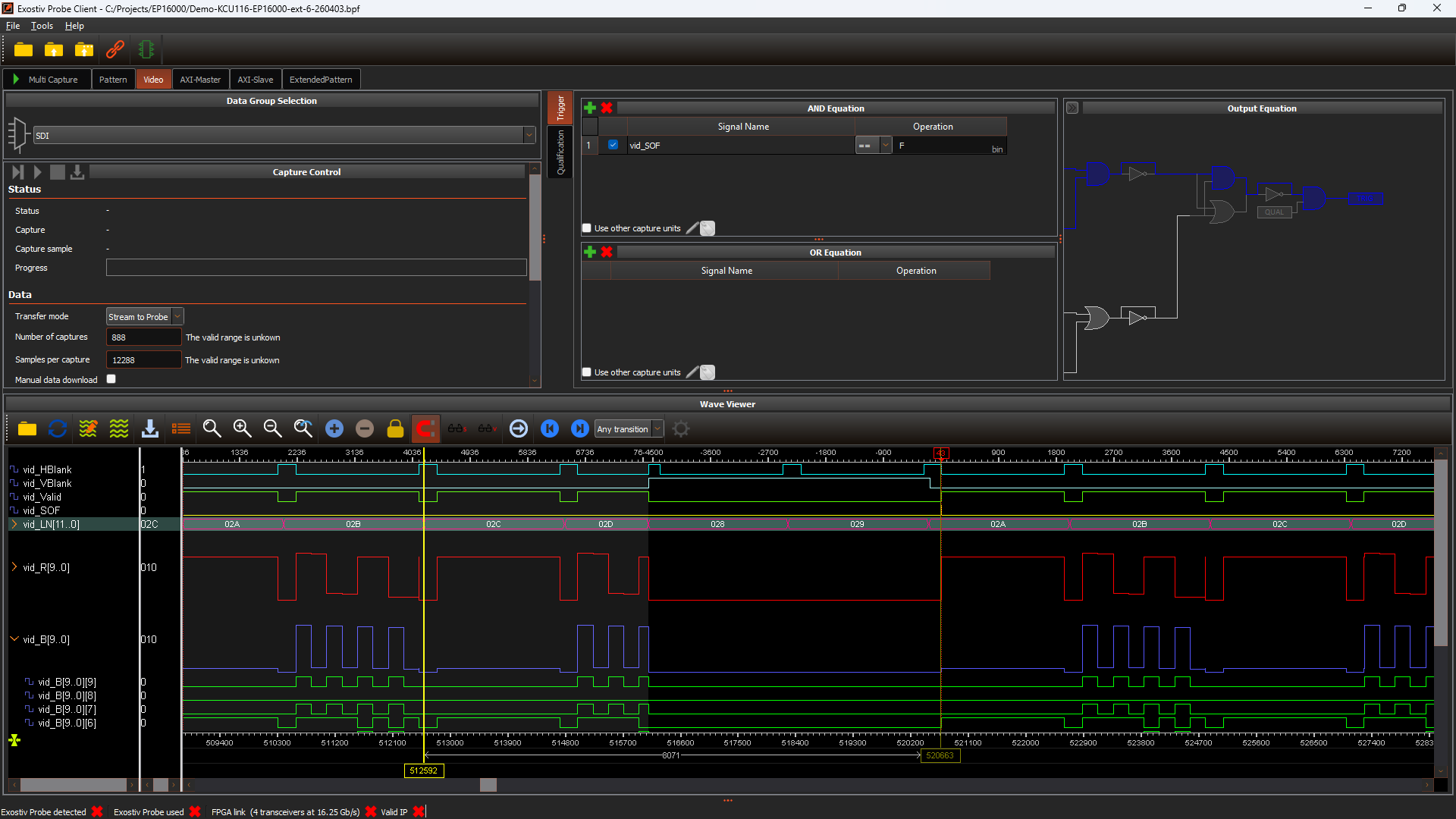
Exostiv Client connects to an Exostiv Probe or a Exostiv Blade unit, runs captures from your FPGA board, and manages the collected data. It reads the .bpf project file generated by the Core Inserter to connect to the IP running on your design.
Exostiv Probe and Exostiv Blade Clients control inserted Exostiv IP instances across Exostiv hardware to set up captures and collect data from inside FPGAs. The include Myriad waveform viewer, able to let you visualize, analyze and export ultra large waveform databases (GB or TB range).
Additionally, Exostiv Clients Python API enable using Exostiv Labs tools through a programming interface, integrate its usage within custom scripts and programs and automate captures.
Overview videos
Exostiv Probe Client
Running on Exostiv Probe hardware
The Probe Client runs on the EP16000 (65 Gbps) and EP28000 (112.5 Gbps) probe units. For multi-FPGA and network-connected setups, see the Exostiv Blade Client.
Exostiv Blade Client
Running on Exostiv Blade hardware
The Blade Client requires an Exostiv Blade unit — a network-attached capture appliance with up to 4.5 Tbps bandwidth and 5.12 TB of trace storage per unit.
Workflow
1 — Load a project
Open a .bpf project file created by the Core Inserter — from the welcome screen or the File menu.
2 — Connect to the unit
Use the connect icon and connect Probe through USB or open a client session onto a Blade unit over the network. The client establishes a connection with a target IP instance on the FPGA. When the connection is established, the status turns fully green and the system is ready for captures.
3 — Run captures
Use individual capture unit tabs to capture from one unit at a time, or the Multi-Capture tab to run several units simultaneously. Each capture unit provides trigger condition and prositioning controls, data qualification conditions, and lets you run single or repeated captures of the size you decide.
4 — Visualize and manage data
Captured data opens in the Myriad V2 waveform viewer — one window per capture unit. Export as .vcd, .csv, or binary. Ocean and Rawfusion utilities also allow post-processing databases outside of the client.
What you can observe
The capture capabilities depend on the inserted IP instances; refer to core insertion for an overview of the IPs.
System requirements
- Windows 10/11 (64-bit) or a supported Linux distribution
- Network connection to the Blade unit or a USB 3.0 connection to the Probe unit.