
Maestro
One view across all your FPGAs
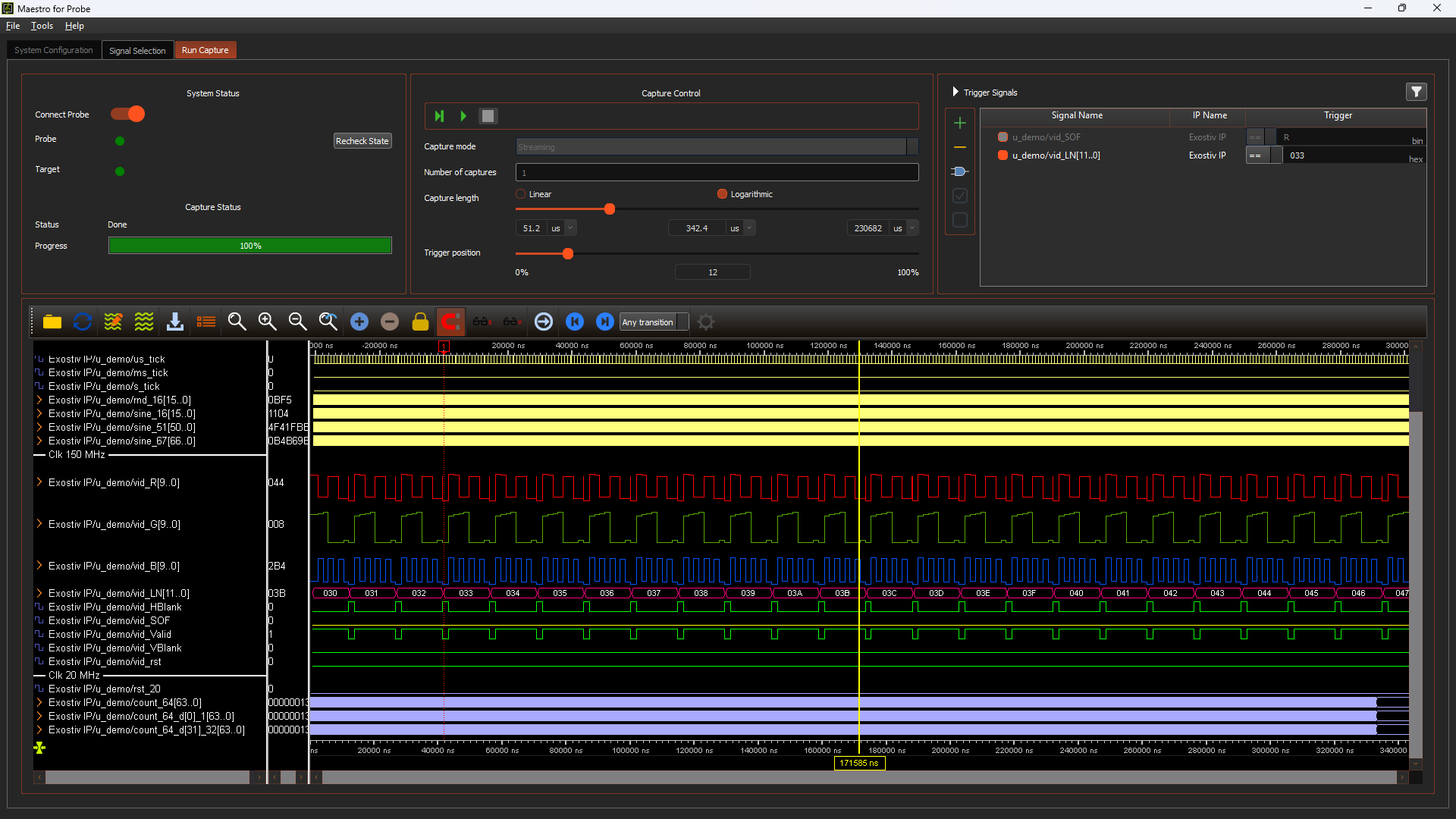
A stream-mode capture layer that unifies signals from multiple FPGAs and clock domains onto a single timeline. No instrumentation expertise required.
What problem it solves
The system-level visibility gap
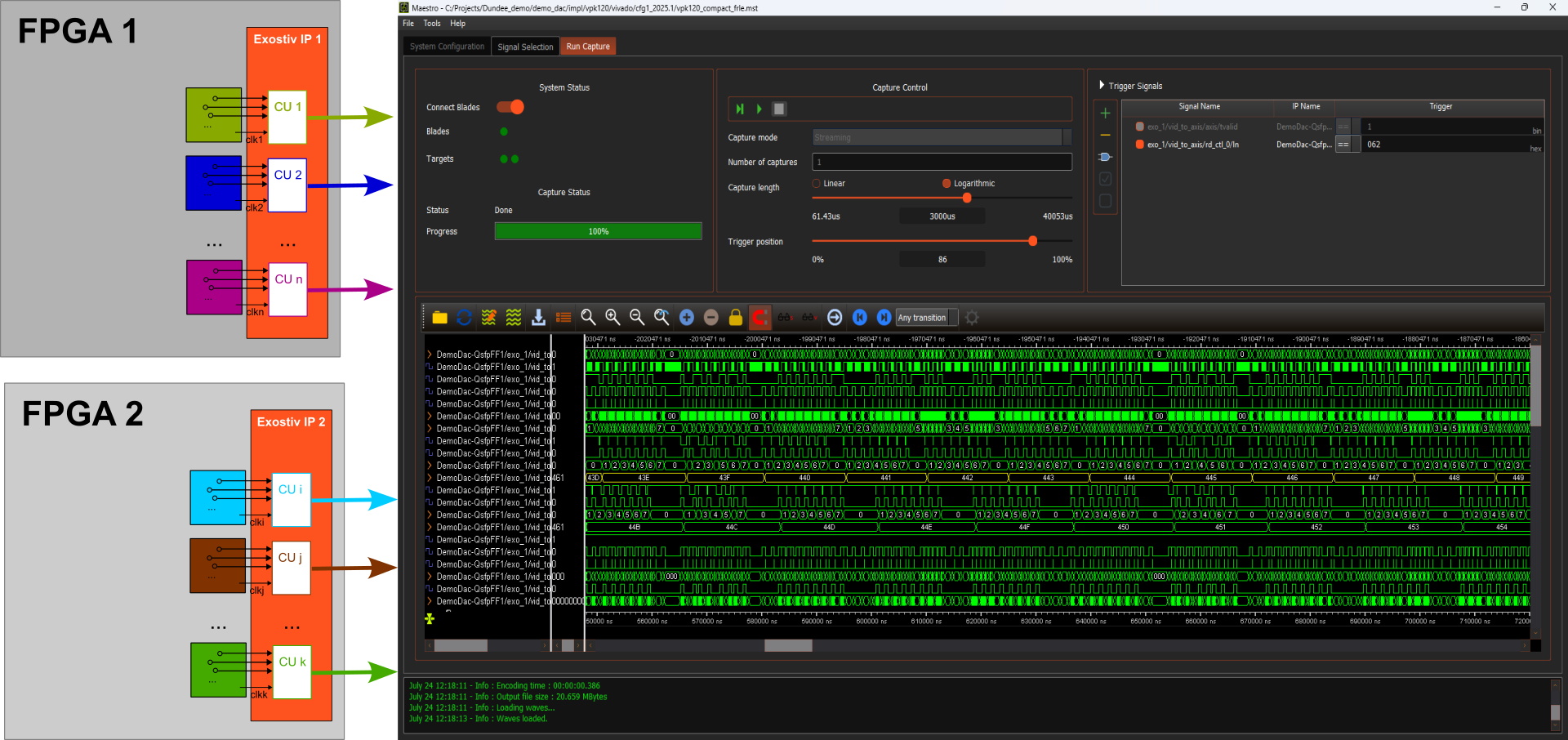
Modern FPGA prototypes span multiple chips, multiple clock domains, and multiple design teams. When something goes wrong at the system level, correlating behavior across those domains by hand — separate capture tools, mismatched timestamps, no common trigger — is slow and error-prone.
Maestro replaces that manual reconstruction with a single coordinated capture session: one trigger fires across the whole system, all sources stream simultaneously, and the result is one waveform view you can navigate without re-aligning anything.
How it fits in your flow
Maestro is a licensed software option on top of the Exostiv Probe and Blade platforms. It does not replace your existing Exostiv Software — both modes remain available on the same hardware.
Use the standard Exostiv flow when you need deep burst capture, per-IP triggers, and repeated fine-grained investigation in one domain. Switch to Maestro when the question is system-level: a behavior that only appears when multiple blocks interact.
How does it work?
Trigger loop
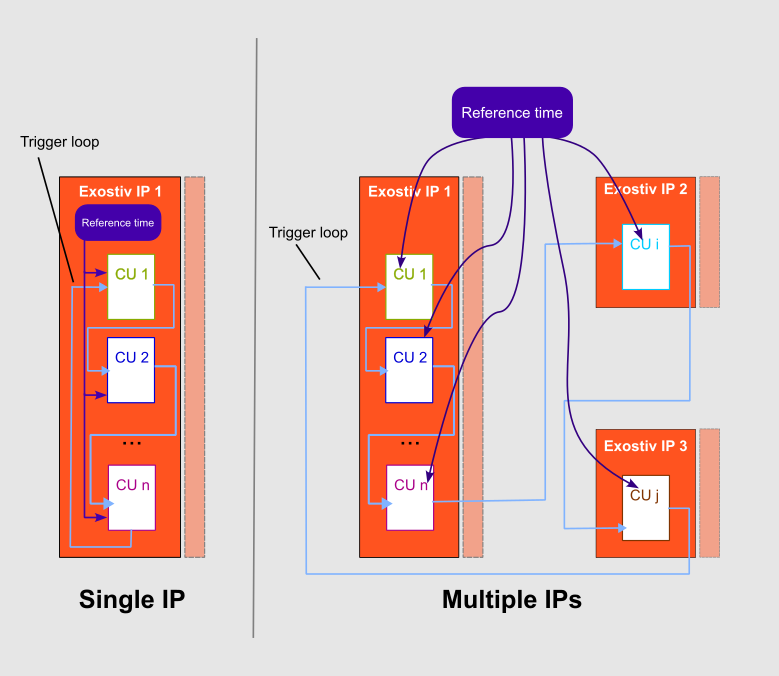
An additional optional trigger loop is added to the Exostiv IP instances, chaining capture units inside single IPs, and IP instances when multiple IPs are used (Exostiv Blade).
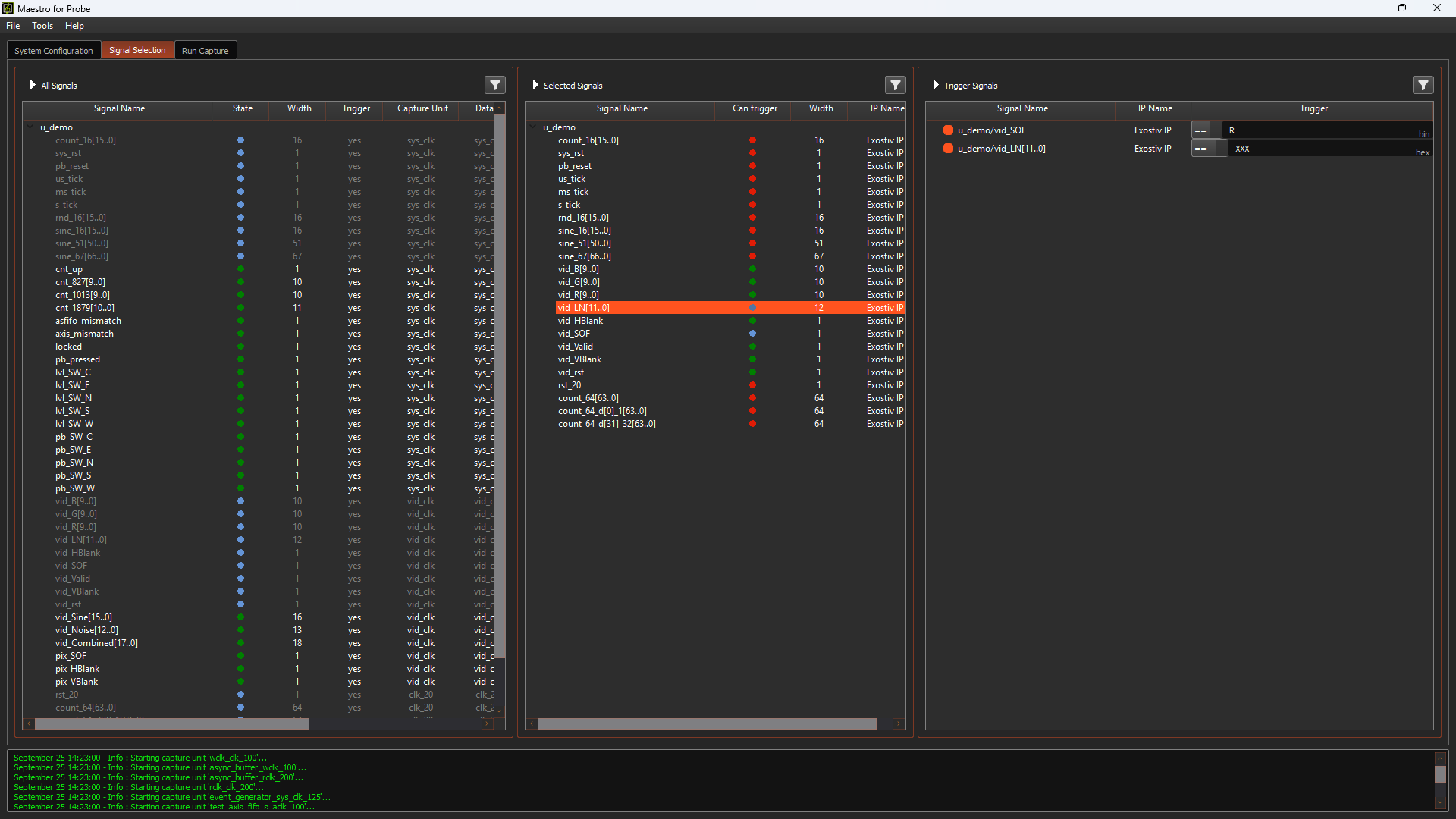
At capture a single trigger source inside a single capture unit is selected as the ‘master’ trigger, that defines the event that triggers all the capture units selected to participate to the capture. The selection of the capture units and the trigger machine used as the master trigger is transparent to the user, who only sets up views with signals from the observed system.
Common reference time
A common reference time from a known clock source is provided to all the capture units, enabling trigger alignment within each capture unit and waveform display in a common time scale, no matter the clock domain each capture unit works on.
Each capture unit uses its own clock in its clock domain to sample data. Realignment and waveform data scaling occurs after each capture database is collected.
When should I use Maestro on top of Exostiv Base software?
Maestro adds stream mode and multi-source coordination. The base Exostiv Software burst mode, trigger counters, and per-IP configuration remain fully available alongside it.
Base Software – Deep investigation in one domain
Full control per IP. Best for isolating a known problem in a specific block or clock domain.
- Capture mode: Burst (DRAM-backed) & Stream (continuous)
- Trigger: Per capture unit, configurable
- Multiple capture units, multiple IPs: Independent sessions
- Display scale: samples, in each CU
- Best for: Specific fault in a known domain
Maestro – System observation across all domains
One session, one trigger, all sources. Best for cross-domain and cross-FPGA behavior.
- Capture mode: Stream (continuous)
- Trigger: Single, master-slave system-wide
- Multiple capture units, multiple IPs: Coordinated, simultaneous
- Display scale: time, based on a common reference
- Best for: Cross-domain system behavior
See Maestro in action
We demonstrate on real hardware.