
Search
My client cannot access the license server. What can I do?
Despite properly setting up the license server IP address and port in the client, the client reports ‘Not connected to the license server’.
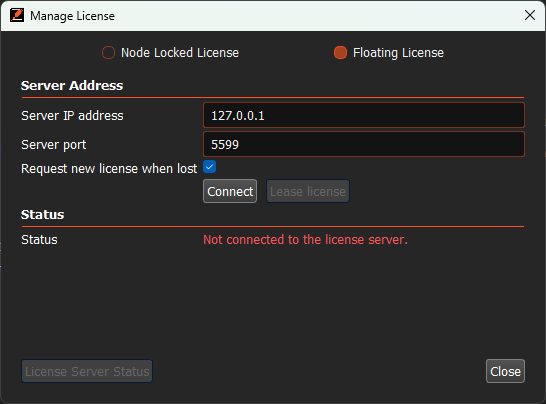
In the log window, the following message is displayed: ‘Failed to connect to the license server’.
Please check the following:
1) Make sure that the license server is properly set up and running – see article: ‘Floating license server setup and administration’.
2) Verify that you are able to ping the license server IP address and port from the client machine:
– Linux command: nc -vz <License server IP address> <port number>
– Windows command: Test-netconnection <License server IP address> -p <port number>
If this command confirms you cannot access the port from the client machine, check your network – and especially firewall settings and modify them accordingly.
If you cannot resolve it, submit a support ticket on our website.