
Skip to main content
Search
How to check the expiration date of my node-locked license?
Applies to node-locked licenses only. If you have a floating license, please check this article instead.
1) Open the application (Exostiv Core Inserter, Exostiv Blade Client or Exostiv Probe Client).
2) Go to menu : Help > Manage License
3) The expiration date is displayed in the window.
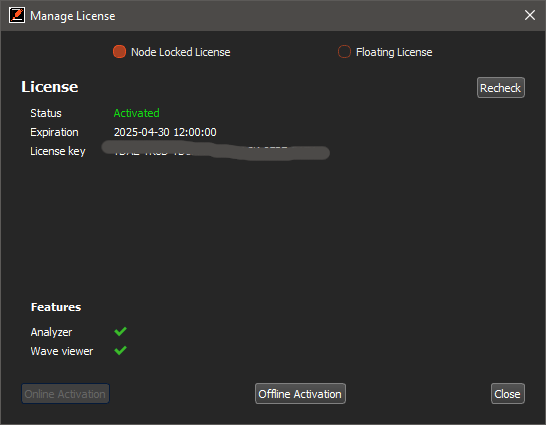
3) If you’d like to manually re-check the expiration date from our online server, click on ‘Recheck’.
(This requires the machine to be connected to the Internet.)